Set the scale on the drawing
Teach the tool how long a metre is on the paper, so every length you draw comes out right.
- 1
Find a measurement you trust
The scale bar at the bottom of the drawing is safest. If that is no good, take a dimensioned line or a house wall where the measurement is written out.
- 2
Pick Scale in the tool rail
Scale sits in the bottom group of the rail. The panel on the right shows 2. Set the scale.
- 3
Press Measure the scale
The button sits under the heading Measure on the drawing. The status line under the canvas then says Click the first of two points a known distance apart.
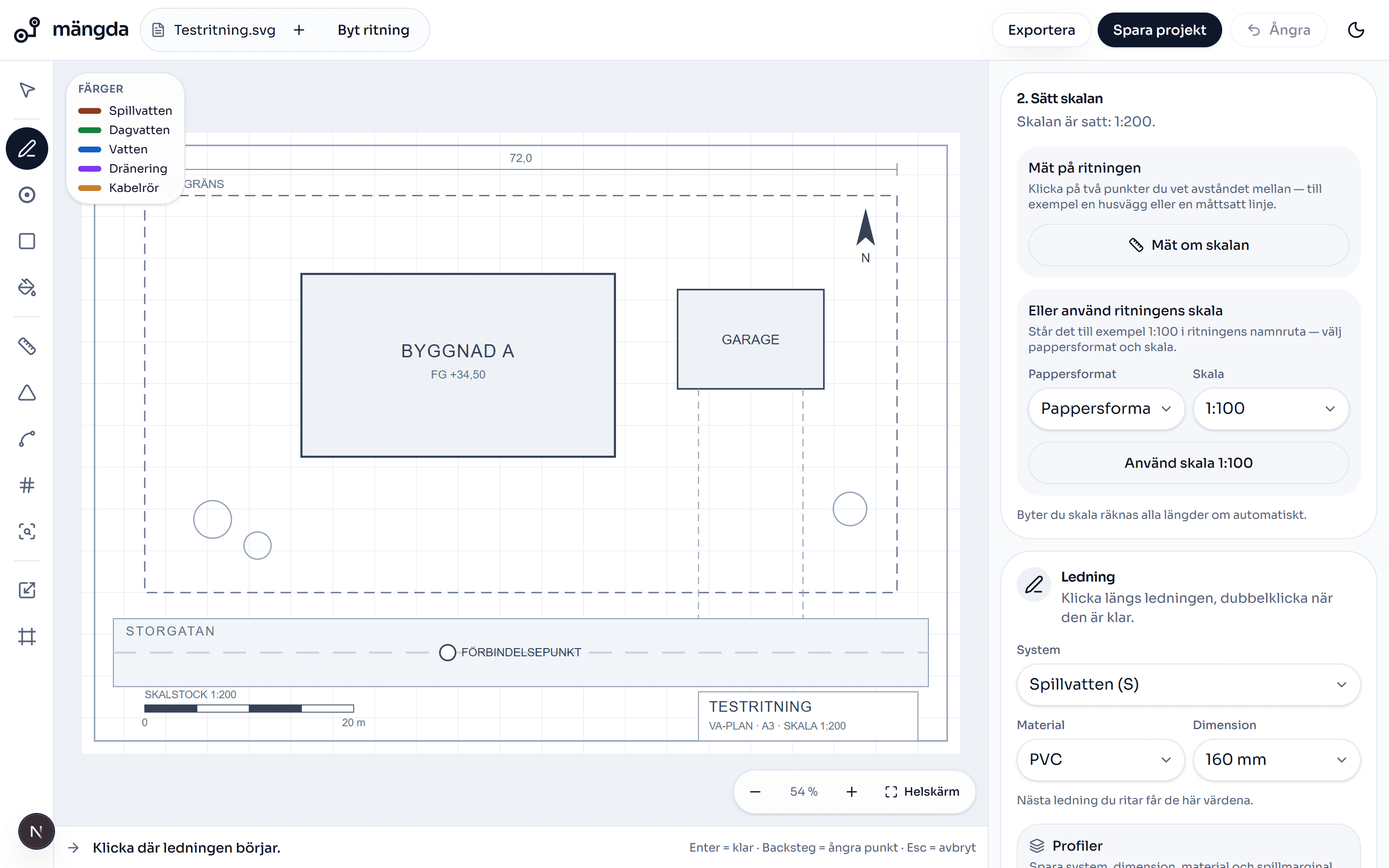
The scale panel: measure on the drawing, or pick paper size and printed scale. - 4
Click one end of the scale bar
Zoom in with the scroll wheel first if the bar is small. The more accurate the click, the more accurate every length afterwards.
- 5
Click the other end
The dashed line between the points is the distance you have just measured.
Worth knowing. If you clicked wrong, Backspace removes the last point.
- 6
Type the distance in metres and save
Fill in the box Actual distance (metres), so 10 if the scale bar shows ten metres, and press Save scale. The tool switches to Pipe.
Worth knowing. A decimal comma works: type 12,5.
- 7
Or use the scale printed in the title block
Under Or use the drawing's own scale you pick Paper size and Scale and press Use scale 1:100. For a PDF, Paper size comes pre-filled from the file, and the conversion is then pure arithmetic.
Worth knowing. The scales you can pick are 1:50, 1:100, 1:200 and 1:400. If the drawing is printed at any other scale you will have to measure it up by hand.
- 8
Check the scale against another measurement
Take the Measure tool and click between two points where you know the distance. If the figure is wrong, press Measure the scale again and take the measurement afresh.
Worth knowing. A scale that is ten per cent out makes every metre in the quantity list ten per cent out, and the price with it. If you change the scale, every length is worked out again on its own.
- 9
Give a detail a scale of its own
If part of the plan is drawn at a different scale, take Viewport, drag a box round it and give that box its own scale. Measurements inside the box use that scale.
Next steps
- Upload a drawingGet a PDF or an image into the tool and have the drawing on screen.3 min
- Draw a pipe runPull a run across the drawing and get metres in the quantity list straight away.5 min
- Measure areas, angles and countsThe rest of the measuring tools: area and volume, distance, angle, arc, count and symbol search.7 min
Do the steps on a real drawing
Open the tool and follow the walkthrough on the sample drawing that is already there. No login needed.
Open the toolStuck on a step? Get in touch and we will gladly look at your drawing.